
Complexity in Communication
Translating complex technical documents or handling intricate negotiations with clients can be overwhelming.
Mobile invoicing for Professional
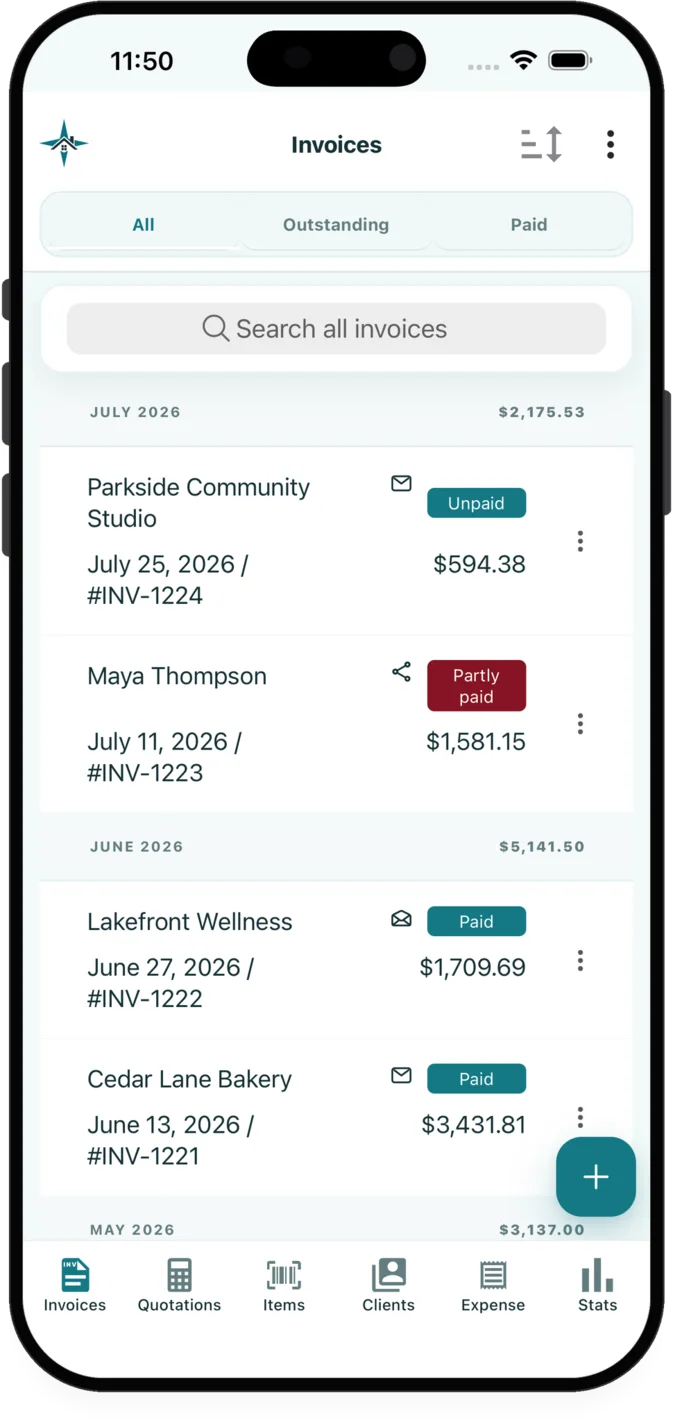
InvoiceXpress gives translators access to quotes and invoices from the app, payment, balance and credit records, document delivery and customer pages from an app for iOS and Android.
The administrative work
Translators often need to account for character counts and technical jargon complexity. InvoiceXpress connects the customer, quote, invoice, payment and supporting records used for that work in an app for iOS and Android.
Translating complex technical documents or handling intricate negotiations with clients can be overwhelming.
Handling large text files and ensuring accuracy in character counts is crucial for translators.
Running a freelance business involves managing quotes, invoices, payments, and customer interactions directly.
Relevant features
These capabilities are selected for the workflow described on this page.
Create, edit, preview and send quotations and invoices on iOS or Android. Convert an accepted quotation into an invoice without re-entering its customer or line items.
Record full or partial payments, follow remaining balances, and handle overpayments, tips, refunds and customer credits in the related records.
Email documents now or later with selected attachments, or share customer document links through WhatsApp, SMS and the device share sheet.
A practical sequence
Select or add the customer, reuse saved services or materials, enter the scope and pricing, then review the quotation preview.
Email the quotation or invoice with relevant attachments, or share its customer page through the device share sheet.
Use the selected document delivery and customer pages tools alongside document activity, payment and balance records.
Explore related workflows
FAQ
Translators can create, preview and send quotations or invoices in InvoiceXpress on iOS or Android. An accepted quotation can also be converted into an invoice without re-entering its customer and line items.
A quotation can include customer details, scope notes, reusable services or materials, quantities, units, taxes, discounts, photos and payment terms. Review the finished document before sending it.
Yes. Separate business workspaces can keep their branding, customers, items, documents, expenses, galleries, credits and settings apart while remaining available from one account.
Available on iOS and Android
Create customer documents, record payments and expenses, and review business activity from iOS or Android.